Many Ukrainian online shops ship with Nova Poshta, so it is often the first integration a Ukrainian Odoo database needs. This guide walks through connecting it to Odoo Community 18, 19 or 20 with the Nova Poshta Shipping add-on by KVS soft, from the API key to the first waybill and parcel tracking.
What the integration does
- Customers pick a branch or parcel locker on the website by city or postal code.
- The delivery price comes from the Nova Poshta API for the real weight and destination, on the website and in quotations.
- Validating the delivery creates the waybill (TTN) with declared value and cash on delivery.
- The label is saved as a PDF: an A4 waybill or a 100x100 or 85x85 marking.
- The parcel status refreshes automatically and the delivery is marked delivered.
- A second shipping method sends parcels by courier to the customer's address.
Before you start
- Odoo Community 18, 19 or 20 with Inventory. For a branch picker at checkout you also need the eCommerce app.
- A Nova Poshta business account, which gives you the API key and the sender details.
- The Nova Poshta Shipping add-on from the Odoo Apps Store for your Odoo version.
Step 1. Create the shipping method
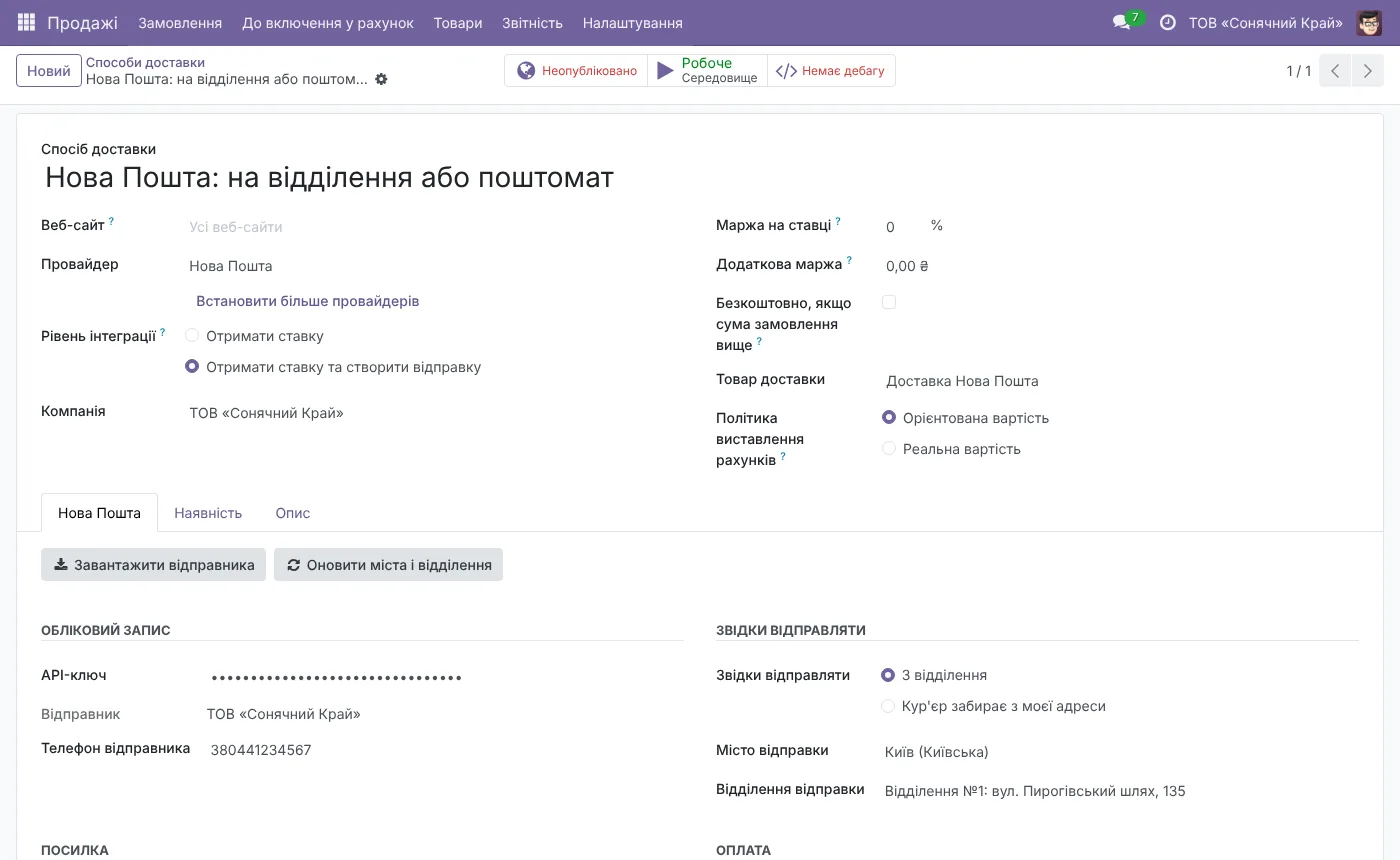
Install the add-on and open Inventory → Configuration → Shipping Methods. Create a new method and choose the "Nova Poshta" provider. A "Nova Poshta" tab with all the settings appears on the form.
Step 2. Add the API key and load the directories
In your Nova Poshta business account open Settings → Security and create a key. Paste it on the "Nova Poshta" tab, click "Update cities and branches", then "Load sender".
The first button loads the directory of cities, branches and parcel lockers, with addresses, postal codes and weight limits. After that the add-on refreshes it every week. The second button brings your sender from the Nova Poshta account.
Step 3. Set where you ship from
Choose the sender city and branch. The same tab holds the payer, cash on delivery and the default parcel settings.
Step 4. Branch or courier
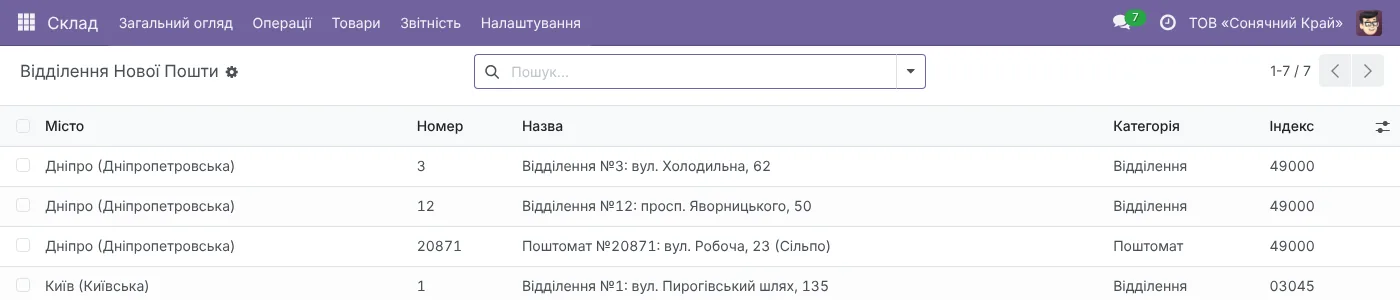
For delivery to a branch or parcel locker keep "Branch and parcel locker picker" turned on and publish the method on the website. Customers then see the standard Odoo pickup point selector filled with Nova Poshta branches.
For courier delivery, create a second shipping method with the same key and the picker turned off. Those parcels go to the customer's address.
What happens on every order
When a customer places an order, Odoo asks Nova Poshta for the delivery price and adds it to the order. When the warehouse validates the delivery, the add-on creates the waybill with the recipient, weight, declared value and cash on delivery, and attaches the PDF label. You can print it again at any time.
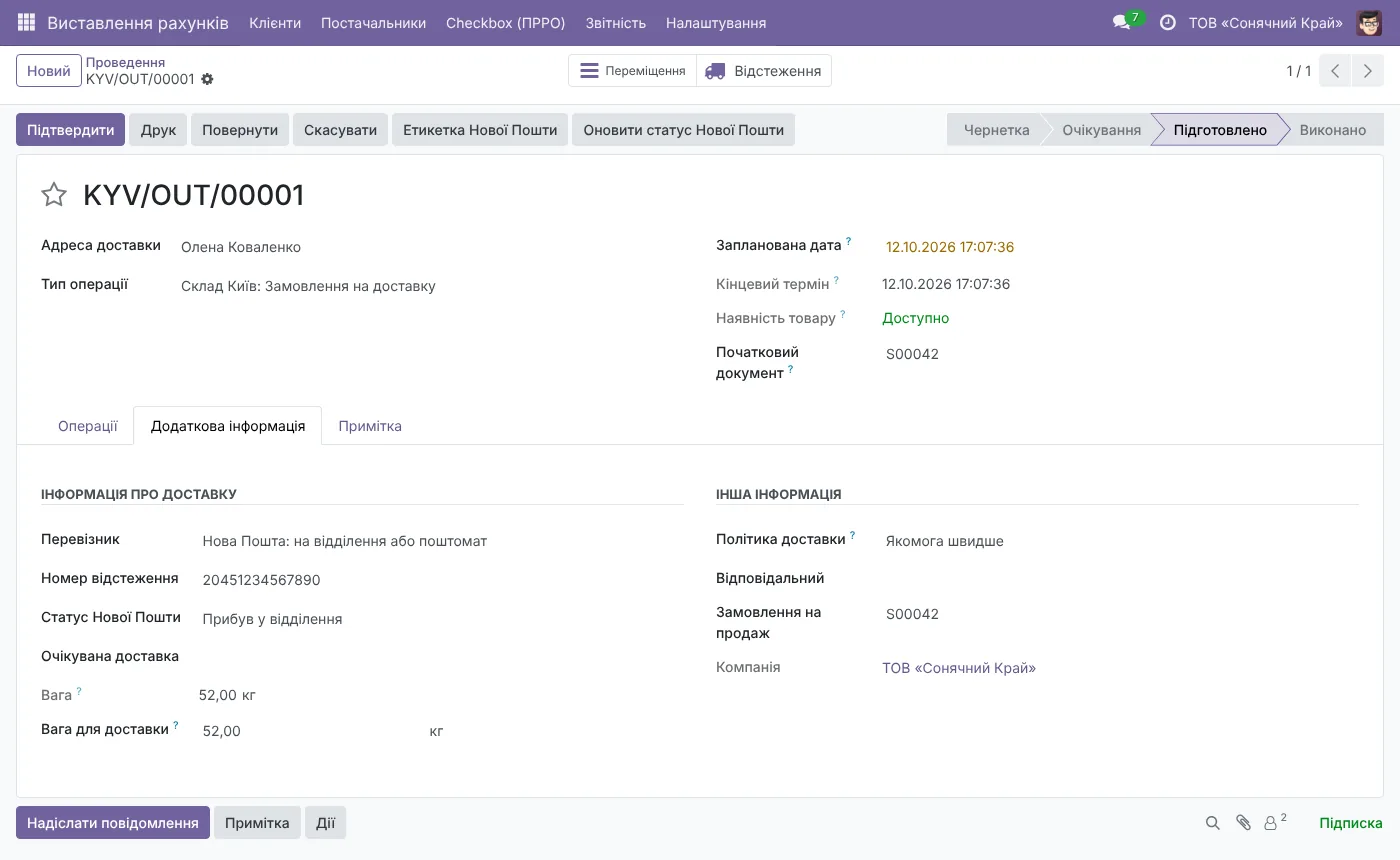
The tracking number, the current status and the expected delivery date show on the delivery order. Statuses refresh every 2 hours, and a button refreshes them at once. Cancelling the delivery deletes the waybill too.
Price
Nova Poshta Shipping costs $119, a one-time purchase on the Odoo Apps Store for your Odoo version. If you also need LiqPay or monobank payments and Checkbox fiscal receipts, the Ukrainian localization suite at $248 costs less than buying them separately. Ukrposhta and Meest have their own add-ons.
Need an invoice for a bank transfer or help with the setup? Write to us.